Felt for educators: best strategies to keep students engaged
Get started with our simple guide to creating your first Felt assignment.

Maps are a wonderful way to understand our world. Here is how Felt makes it easy to create and share beautiful interactive maps.
Learn how educators are implementing Felt in their classrooms at Cornell and Cal State Fullerton to keep students engaged and motivated, and get started with our simple guide to creating your first Felt assignment.
Mapping Primary Source Data at Cornell University
Wenfei Xu is an assistant professor in urban planning at the Department of City and Regional Planning at Cornell University College of Architecture, Art, and Planning. When Wenfei was creating a new course called Mapping and Countermapping for Fall 2022, she wanted to give students a variety of tools they can experiment with in addition to a theoretical framework on critical geography and cartography. She decided to include QGIS, Felt, and Mapbox Studio to expose students to various tools that can fit their needs.
"The reason why I wanted to introduce Felt is because when we teach planning, it’s critical to know how to work with primary source survey data," says Wenfei. "Mappers are often intermediaries between the community and government, and they need to understand how to gather and analyze data so they can better advocate for various causes in the public sphere."
She decided to add Felt to her curriculum because it’s a complimentary tool that can be used together with QGIS and Mapbox if students need to work on a collaborative project. Before introducing Felt this fall, creating collaborative maps was a challenge, and students often drew a map by hand before turning it into a digital asset. For the first assignment, Wenfei asked students to to record their routine activities, where they took place, what type of activity that was (working, recreation, in transit, in class), and snap a photo using Mergin Maps, a tool for capturing geographical information on a smartphone or tablet, and then bring it into Felt.
During another class, Wenfei encouraged her students to come up with a guide to Ithaca for new City Planning students and add coffee shops, bars, sports facilities, and other local points of interest to their map.
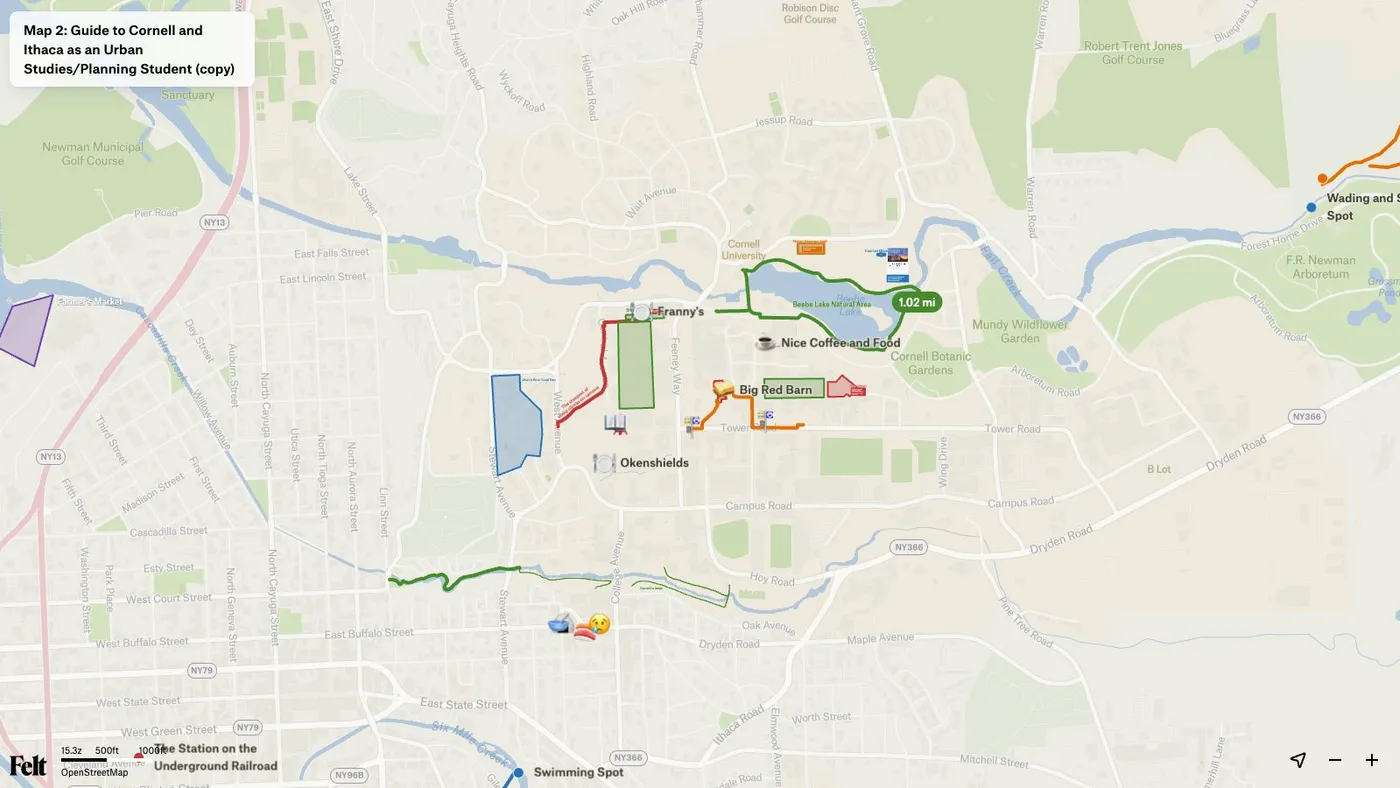
Learn more: You can read Wenfei’s guide to Felt that she created for the course on GitHub.
In Spring 2022, through a four-part workshop on mapping technologies and data visualization, students of Jamila Moore Pewu, Assistant Professor of Digital Humanities and New Media in History at California State University, Fullerton, set out on a mission to digitize an intricate basemap of "Little Texas", the Black community of Santa Ana, CA that dates back to 1950 and even earlier. Students learned the basics of spatial data and test-drove various platforms for map-based storytelling, like Mapbox. But what the students really needed was a collaborative tool that would allow each project team to add observations on how the urban environment has changed in the last 70 years.
RJ Ramey, a creative designer/cartographer at Auut Studio, led these four workshops for Dr. Pewu. He started tracking Felt’s platform just days before the first event, and realized Felt could make the map of "Little Texas" shareable and multi-editable. RJ wrote a new section into the workshop right then: students could take the historical basemap and add new observations over it in Felt — exploring new questions in real-time.
"The ease of Felt’s mapping tooling is really astonishing. It’s perfect for these interdisciplinary workshops where students have varying levels of tech expertise. Felt will definitely be my new go-to tool – I can share one link and we can all dig in immediately, without spending time learning to use challenging software."
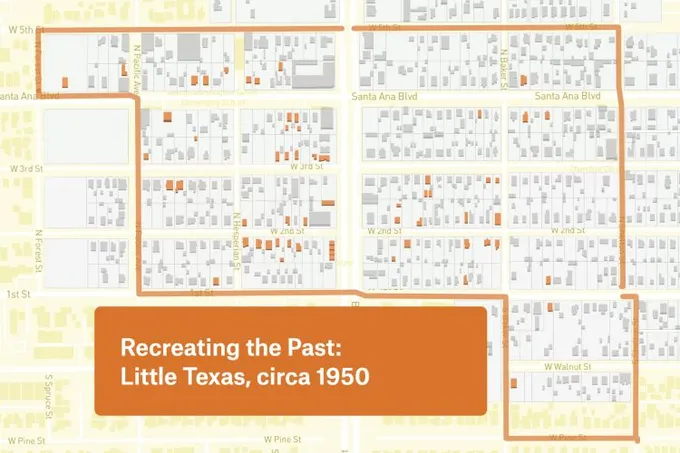
Learn more: Check out our recent post to learn how to bring your custom basemaps into Felt.
Getting Started in Felt
- Click "Sign Up" at Felt.com — it’s free!
- Students with Google Accounts can use Google Single Sign-On.
- Complete the tutorial that will automatically open upon sign up. When finished, go to the Felt menu in the top left corner and select Home.
Creating Your First Assignment
- From the Home screen, click “New Map”
- Pan and zoom to the study location.
- Add a note and the instructions of your assignment.
- Optional: Upload any data you’d like them to have for the assignment.
- Share your assignment by going to Share > Link to current view > Copy link. This will ensure the students will open the map exactly where the assignment information is.
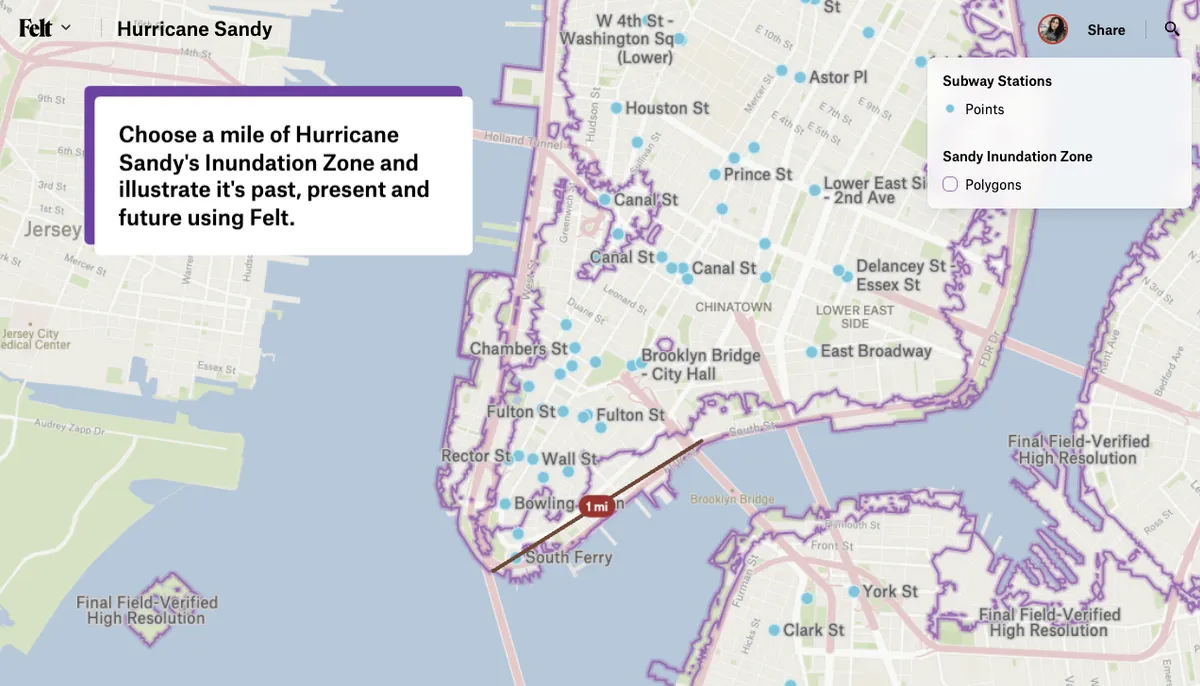
- Your students can duplicate this entire map to get started — they do not need to start from scratch. Try it! You can duplicate the example hurricane map here.
Join our community
To connect with other students and educators using Felt and get a visual sense of all the platform has to offer, join our community.
Help Docs
There is so much your students can do with Felt. Here are a few documents that will help guide them along the way: