GeoTIFFs, XYZ urls, and raster imagery – now in Felt
Felt now supports raster files including GeoTIFFs (up to 5GB), accelerating raster workflows by making it easy to import

Felt’s collaborative modern map-making platform now works for raster files. Try it today.
Raster data is a fundamental tool for solving some of the most pressing issues of our time. Rasters can be digital aerial photographs, satellite imagery, scanned maps, digital pictures, or surface and thematic data. They contain information about that place on earth such as elevation, temperature, land use, vegetation type, or asset movements. These types of files are central to work performed in industries such as environmental science, business intelligence, agriculture, and engineering, and solve problems from deforestation to defense.
Although they play a foundational role in addressing important present-day problems, traditional software is difficult to use and sharing raster files is notoriously challenging. Felt is built for team collaboration from the ground up, and it has already begun to change how people who work with maps interact with their colleagues, clients, and stakeholders. Today, we offer this revolutionary change to teams who work with raster data.
Accelerating the raster workflow
Like all things we build, Felt’s new raster service is designed to accelerate current workflows and make sharing seamless. Today we are announcing three new features that make raster files easier to work with than ever before:
- The ability to upload raster files as layers on your map.
- The ability to add any XYZ URL from sources such as Planet, or other imagery providers, which will dynamically load external imagery.
- A set of purpose-built OSM layers, such as streets and building footprints, to complete your map quickly.
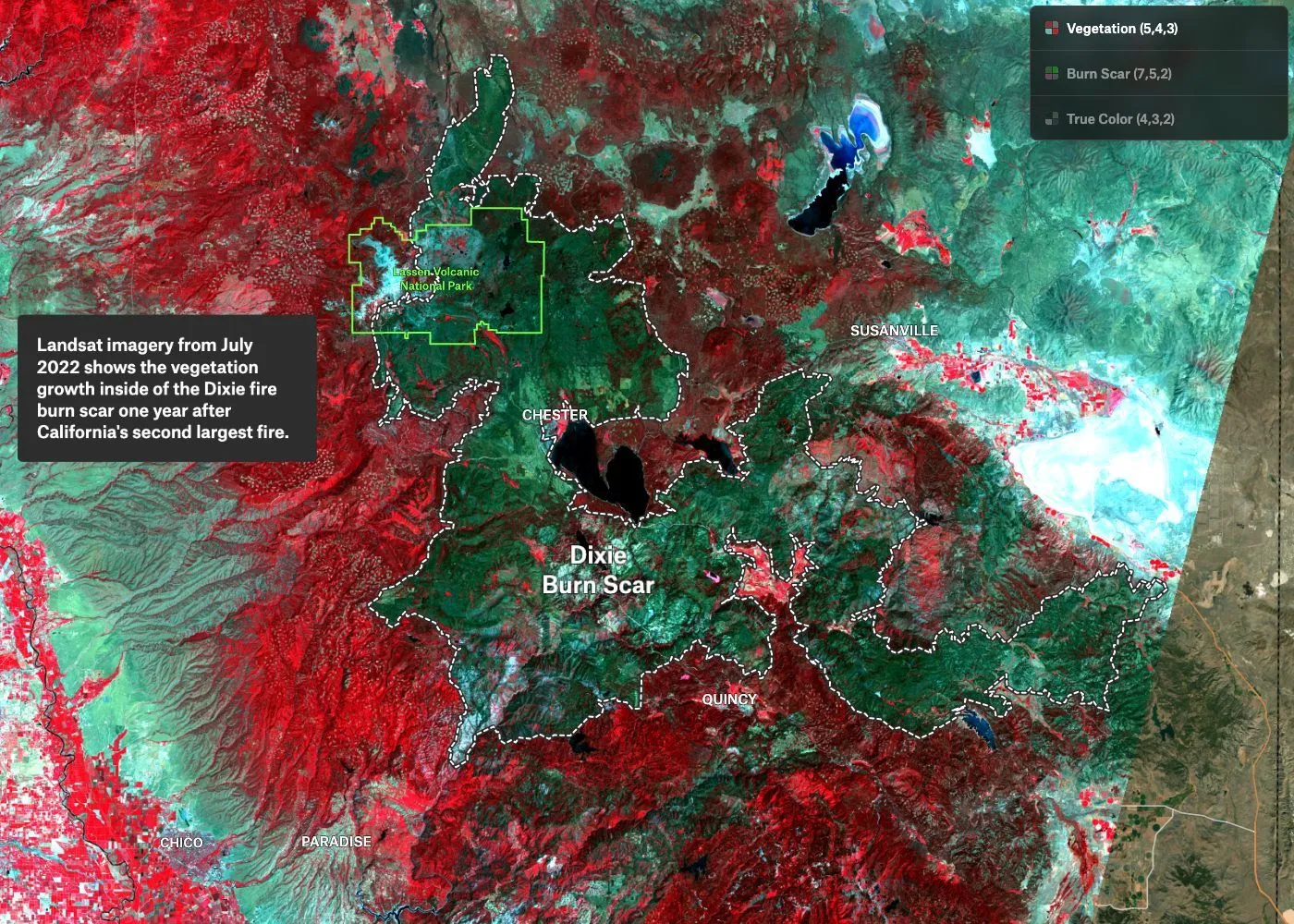
These features enable raster users to finally leverage the power of our collaborative platform.
Delightful to annotate and share
Felt’s new features for raster users distinguish it in a few ways. Felt can handle raster files as large as 5GB, so there’s no need to worry about limitations on usability due to file size. Whether you’re using digital elevation models (DEMs) from USGS’ EarthExplorer, historical maps from David Rumsey, or imagery and sensor data from OpenAerialMap, NOAA, Landsat, or MODIS—just drag and drop it on the map, upload it with the upload anything tool or paste an external XYZ URL to the map, and Felt will automatically project and display your data without any input from you. Once loaded through the pipeline, the files load quickly in the browser, making it easy to pan and zoom and share the story your data is telling. Bring the narrative to life with vector data from our library, or add your own.
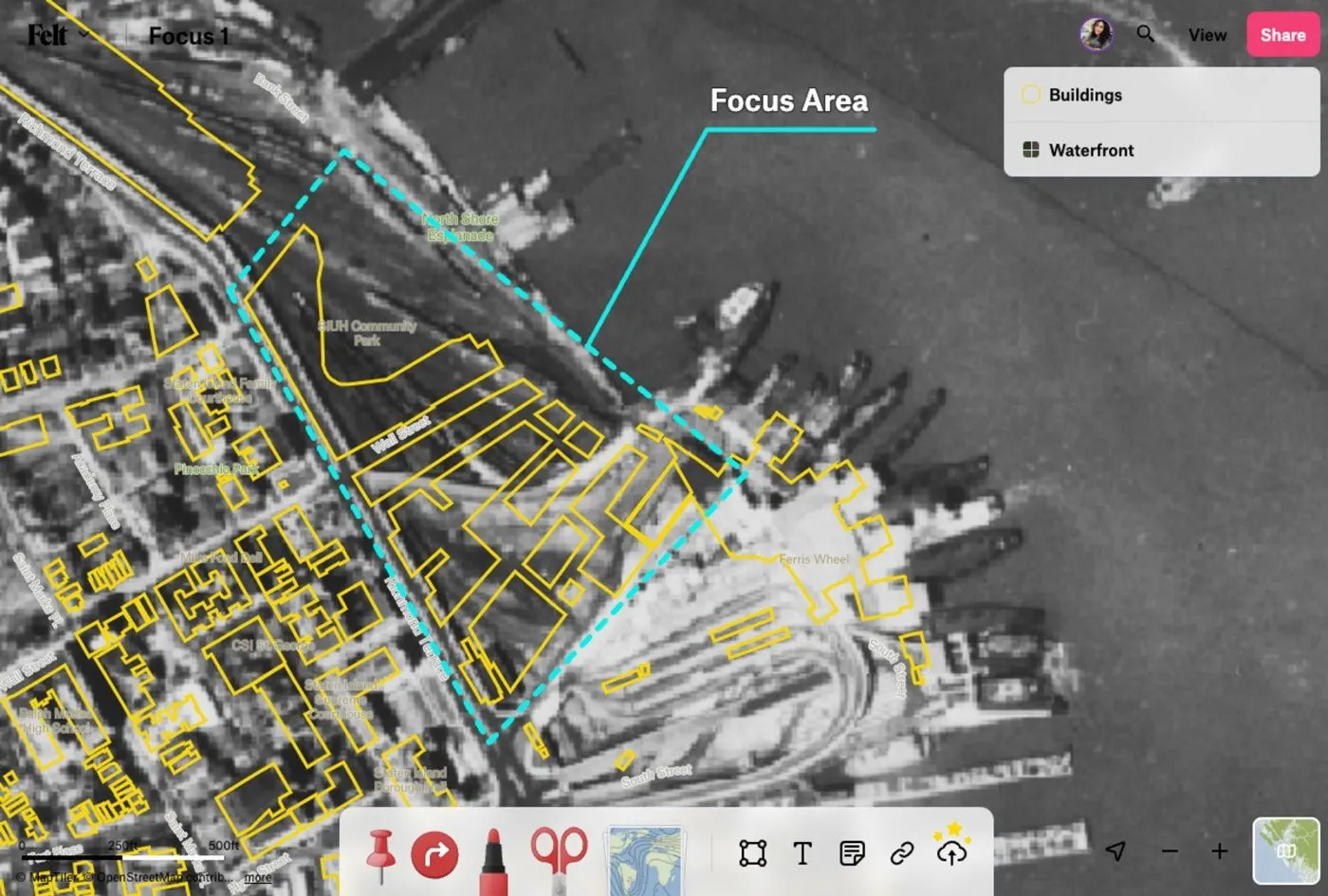
Once in Felt, rasters are easy to work with. Your files appear as layers in the legend where they can be re-arranged, toggled on/off, and positioned above or below some of our basemap layers. Opacity can be adjusted to make it easy to reference context on the basemap, or achieve desired cartographic effects.
Felt makes sharing rasters with your team and clients easy, accelerating the review and feedback process. You can share your map with a link, or set up a project team with permissions to edit or view set at the individual level.
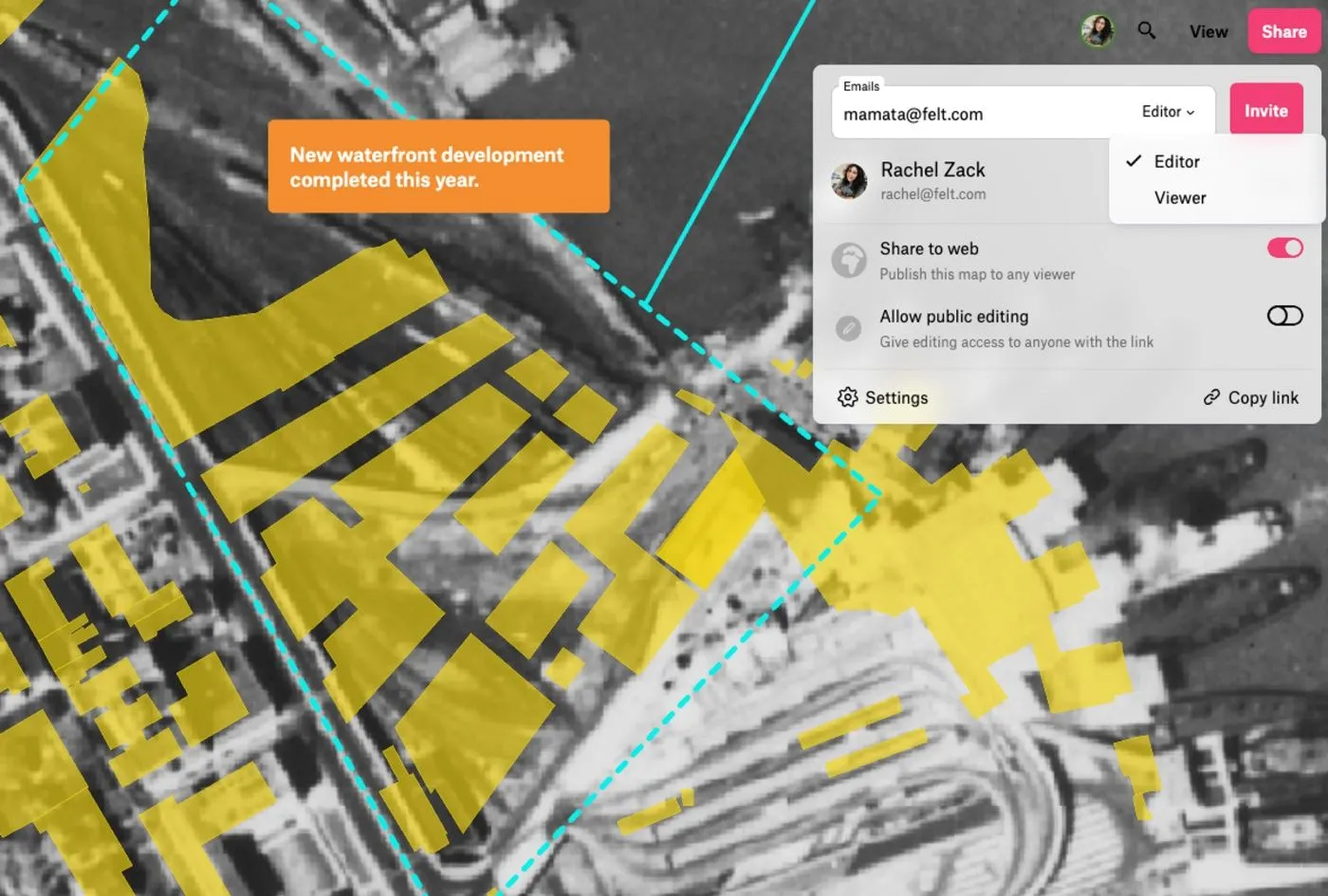
Faster raster review through team-based sharing
Despite the critical role they play, rasters have long been troublesome to annotate and share. It’s common to see them brought out of desktop GIS as screenshots, and into tools like Google Slides or Powerpoint to add arrows and communicate back and forth about important insights discovered from the imagery. With today’s announcement, you can accomplish this workflow seamlessly in Felt using our team features.
Hydrologist Angie Rodriguez-Arriaga recently integrated Felt in her raster workflow at groundwater engineering firm Luhdorff & Scalmanini, and it’s already making an impact. Her team frequently shares satellite imagery, DEM models, and landcover products, and they have enthusiastically embraced Felt for its unparalleled time-saving benefits during the review process. “Gone are the days of having to laboriously export 10-15 files to PDF each time I require feedback from my team on contours or interpolation methods. Now I can quickly export the raster files from ArcPro to Felt where my team can easily add comments, making the entire process more efficient.”
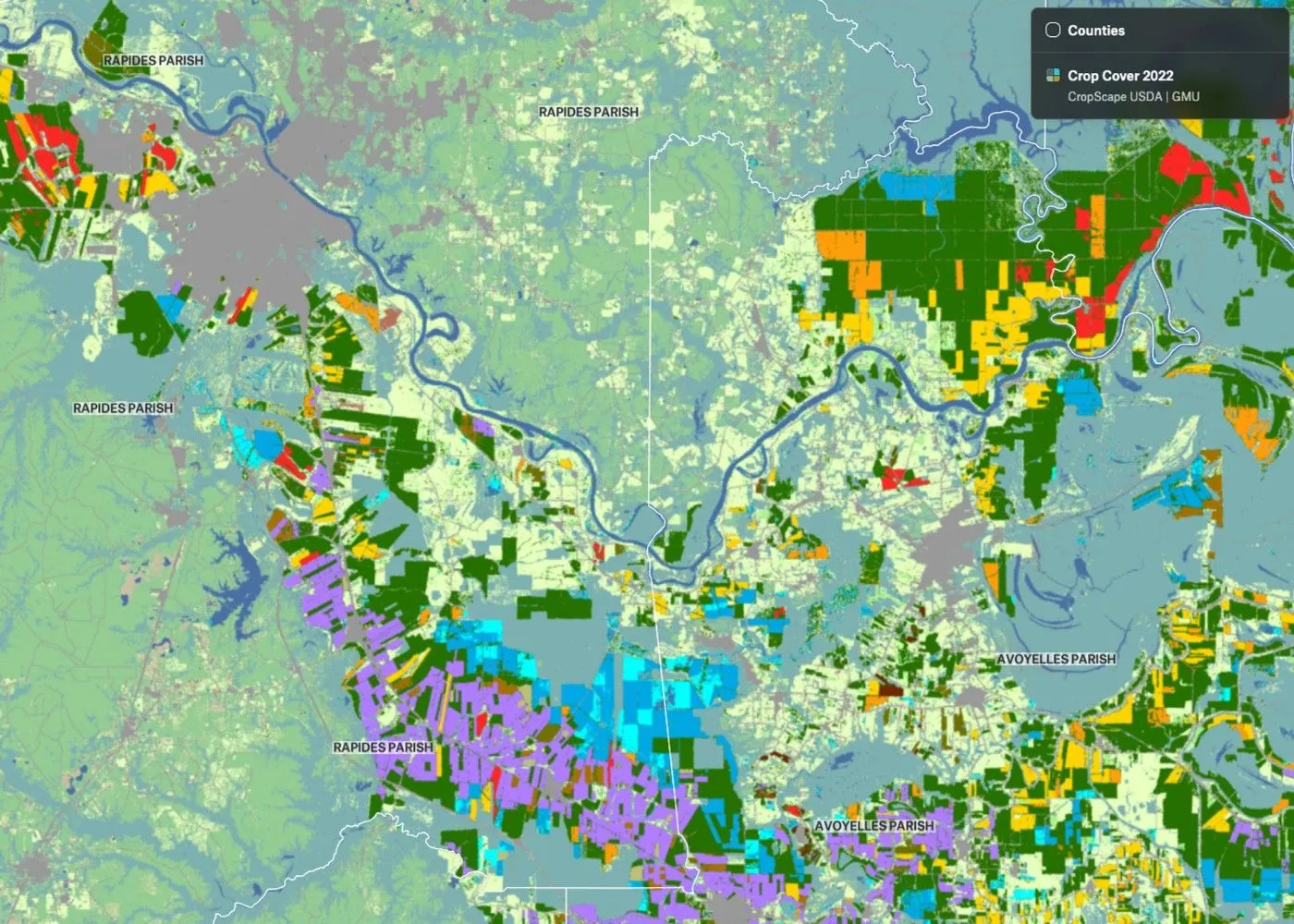
Check out some of the recent raster maps made in Felt:
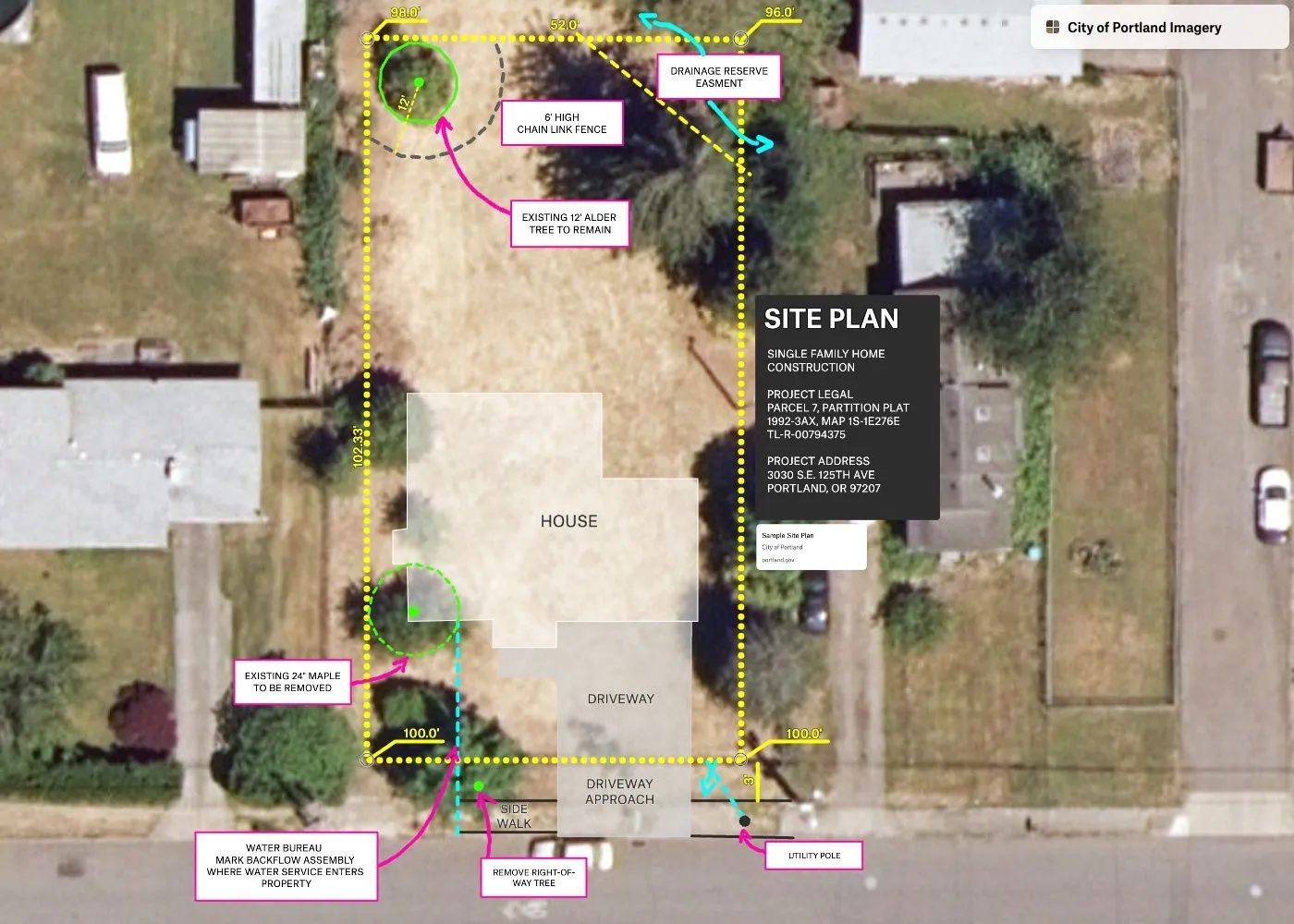
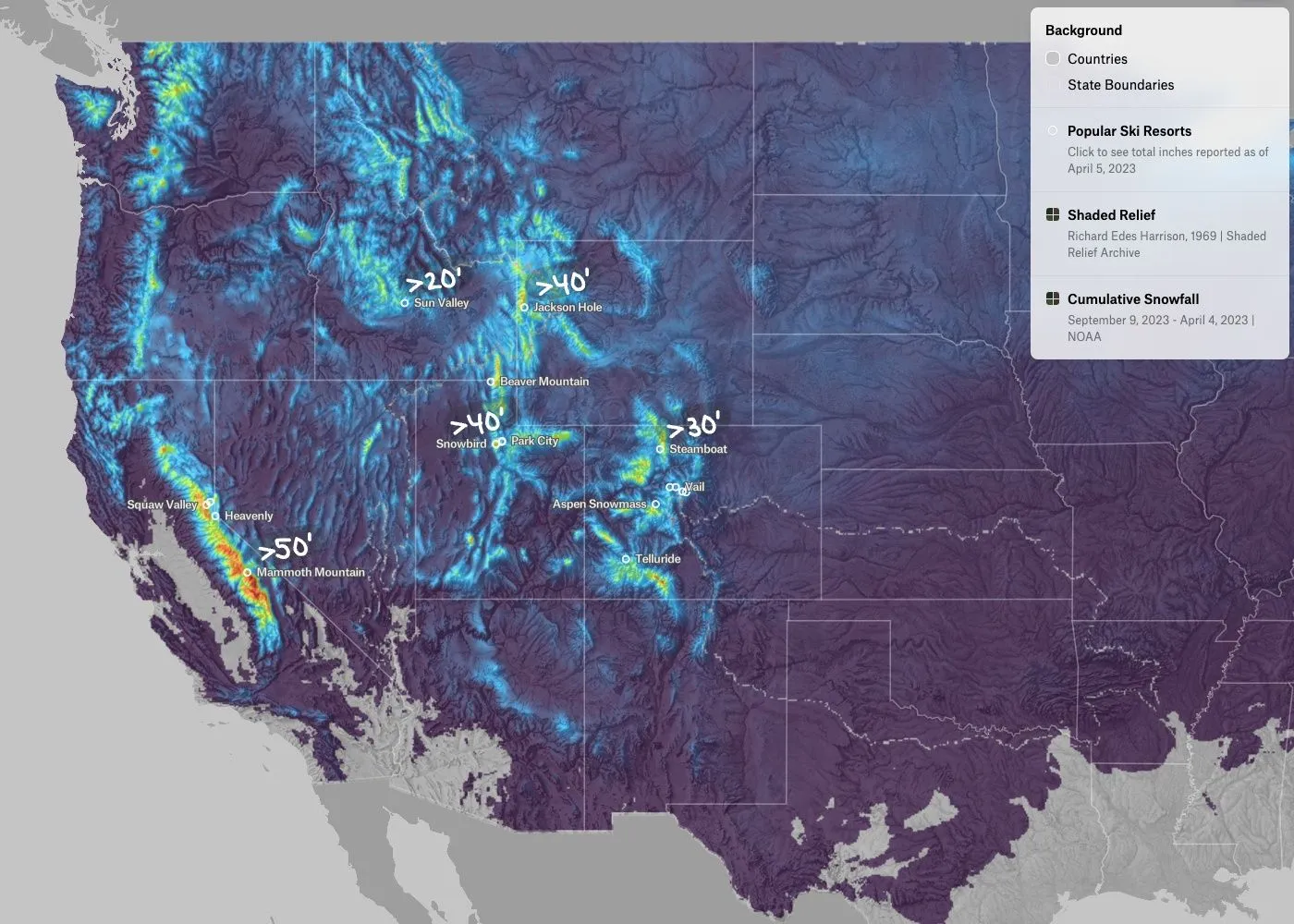
Get started with rasters in Felt today.
Try it now
This announcement marks the beginning of Felt for teams using rasters. We are continuing to build out our raster capabilities. If your team has specific requests for features that could help you make the most of Felt, contact us. We would love to hear from you.
Learn More at Thursday’s Meetup
Eager to get your team on Felt? Join us for an event at 9am PST on Thursday, April 27! Felt Data Curator Álvaro Arredondo will dive deep into the raster release and answer questions live. RSVP today!